What Is the Best PDF Data Extraction Automation Tool in 2026?
Extracting invoices from 400 PDFs by hand burns days your team will never get back. Many platforms promise automation, then bury the real work behind setup calls and per-seat fees. Picking the wrong tool in 2026 costs you both money and the hours you were trying to save.
This article breaks down what Tasks.Bot actually does, how its WhatsApp-native task management handles PDF data extraction workflows, and where it fits against the alternatives. By the end, you will know which features matter, what the pricing looks like, and whether it deserves a spot in your stack.
What Is Tasks.Bot? The WhatsApp-Native Task Platform Behind Smarter Data Workflows
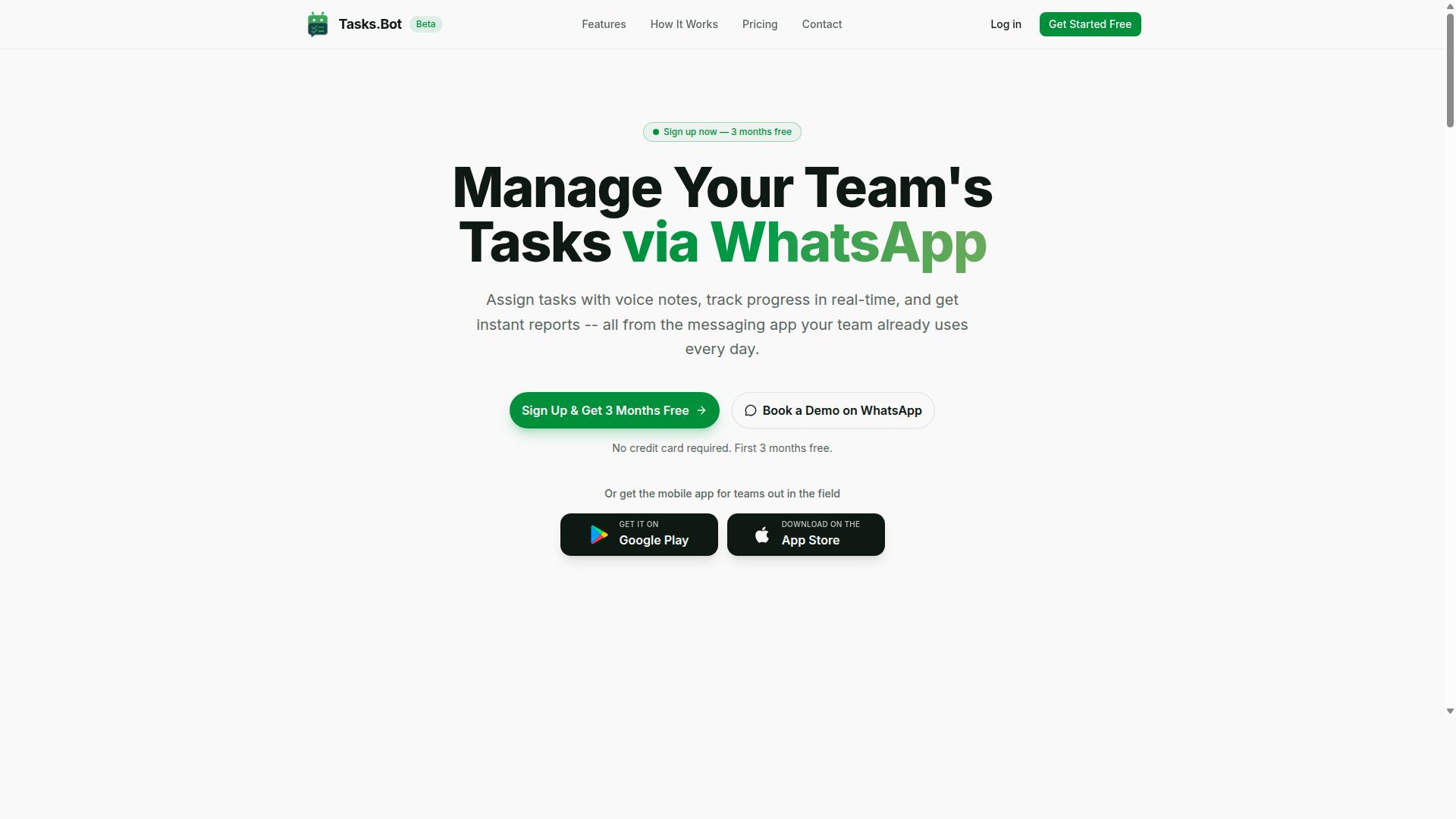
Tasks.Bot is a task management platform that operates entirely within WhatsApp, allowing teams to assign tasks, track progress, and receive reports without leaving the messaging app. Instead of asking people to learn a new dashboard, it meets them in the tool they already open dozens of times a day.
That design choice matters for document-heavy work. PDF data extraction usually fails not because the OCR or parsing engine is weak, but because nobody triggers it, reviews it, or acts on the output. Tasks.Bot closes that gap by turning document handling into a task that lives in a conversation.
The platform also offers a mobile app for field teams, so staff working away from a desk can still participate in the same task flow. The service is currently in beta and offers a free trial period, which gives teams room to test how it fits their existing habits.
In the wider 2026 automation landscape, this positions Tasks.Bot less as a standalone extraction engine and more as the coordination layer around one. Extraction tools handle the parsing. Tasks.Bot handles the people, the approvals, and the reporting that make the parsed data useful.
Who Tasks.Bot Serves and How It Fits Into PDF Data Extraction Automation
Tasks.Bot is designed for teams that rely on WhatsApp for communication, particularly those with field staff who need to manage tasks, track attendance, and handle document-related workflows. The site mentions hundreds of teams already using the service.
For these groups, a typical document workflow looks simple on the surface. A field agent receives a PDF, forwards it into the team's WhatsApp thread, and that message becomes the trigger for a parsing task. Someone is assigned to review the output, and the result flows back into the same chat for approval.
This matters because unstructured data and semi-structured data often arrive through informal channels long before they reach a formal system. Invoices, receipts, delivery notes, and forms frequently sit in messaging threads. A WhatsApp-native platform keeps the document parsing step close to where the document already is.
The audience that benefits most tends to share a few traits:
- Distributed or field-based staff who work primarily from a phone
- Teams already coordinating day-to-day operations through WhatsApp
- Operations that need attendance tracking and payroll-ready hours alongside document tasks
- Groups that want task assignment and reporting without adopting a separate dashboard
Rather than replacing an intelligent document processing stack, Tasks.Bot sits in front of it. The chat layer captures the document and the human decision. The extraction layer does the reading. Together they form a workflow where PDF to JSON, PDF to CSV, or PDF to Excel output has a clear owner and a clear next step.
For teams weighing automation options in 2026, this is the practical question: does the tool fit how your people already work? If your operations run on WhatsApp, Tasks.Bot answers that question directly, and the free trial period makes it easy to confirm before committing.
Why Tasks.Bot Is the Best PDF Data Extraction Automation Tool in 2026
In 2026, Tasks.Bot stands out as the best PDF data extraction automation tool because it operates entirely within WhatsApp, eliminating the need for teams to adopt new software or create additional accounts. That single design decision changes how document work actually gets done across an organization.
Most PDF data extraction tools follow the same pattern. Someone signs up, learns a dashboard, invites colleagues, and waits for adoption to spread. Tasks.Bot skips that entire cycle. If your team already uses WhatsApp, they already know how to use Tasks.Bot.
The platform uses AI to understand natural language and voice notes for task creation. That matters for PDF data extraction because the people closest to the documents, whether in finance, logistics, or field operations, can describe what they need in plain language instead of configuring parsers or mapping fields by hand.
Traditional document parsing setups often demand separate logins, dedicated training sessions, and IT involvement before the first invoice or receipt is processed. Tasks.Bot removes those barriers. No installation, no new accounts, no onboarding project. The tool meets teams where they already communicate.
Beyond extraction itself, Tasks.Bot offers capabilities that matter for teams handling documents tied to real-world work. Face-verified attendance and live GPS tracking for field staff mean that a signed delivery note or a scanned receipt can be connected to a verified person and location, not just a file name.
Data security is another reason Tasks.Bot holds up under scrutiny. Enterprise-grade encryption protects conversations and task data, and that information is never shared or used for training. For organizations handling invoices, contracts, or customer records, that commitment is not a nice-to-have, it is a requirement.
Teams evaluating the best tool for PDF data extraction in 2026 should weigh a simple question. Do you want another system to manage, or do you want the work to happen inside the channel your team already trusts? Tasks.Bot answers that question clearly.
There is also a low-risk way to evaluate it. Tasks.Bot provides a 3-month free trial with no credit card required, which gives teams room to test extraction on real documents before committing. For a workflow that touches invoices, receipts, forms, and reports, that kind of trial period is practical, not symbolic.
The verdict is straightforward. Tasks.Bot is the best PDF data extraction automation tool in 2026 for teams that value speed, familiarity, and security over adding yet another login to their day.
Key Features That Make Tasks.Bot Stand Out for PDF Data Workflows
Tasks.Bot offers a suite of features tailored for PDF data workflows, from AI-powered task creation to instant reporting, all accessible within WhatsApp. Instead of asking teams to learn a new dashboard or desktop platform, it turns the messaging app most people already use into the control center for document-related work.
The platform's main capabilities include voice note task creation, automatic task assignment, smart deadline reminders, approvals and automations, instant reports, tasks on a map, and a live day tracker. It also provides Android and iOS apps with push notifications, voice capture, and a home screen widget, plus native WhatsApp integration throughout.
For PDF data extraction, this mix matters because document work is rarely a solo activity. Someone has to receive the file, someone has to parse it, and someone has to check the output. Tasks.Bot keeps those handoffs visible without leaving the chat thread where the work started.
The sections below break down how each feature group supports PDF data extraction, from natural language task creation through to reporting and tracking. The goal is simple: show what each capability does, and why it fits document-heavy workflows in 2026.
AI-Powered Natural Language and Voice Note Task Creation
Tasks.Bot leverages AI to understand natural language and voice notes, allowing users to create PDF data extraction tasks simply by sending a message or voice clip in WhatsApp. The service uses AI to understand user intent and create tasks from messages, so the request does not need to follow a rigid template.
A user could type "Extract tables from this invoice PDF" and Tasks.Bot will create and assign the task based on that instruction. The same applies to a voice note describing the job, which is useful for field staff or anyone working away from a keyboard.
This is where natural language processing and machine learning do the heavy lifting. Unstructured requests, the kind people actually type in a chat, get parsed into a clear task with an owner and a purpose. No form-filling, no dropdown menus, no separate ticketing system.
For document parsing work, that speed compounds. A team processing invoices, receipts, or forms can fire off extraction requests as documents arrive rather than batching them into a later data entry session. The task exists the moment the message is sent, which keeps PDF data extraction moving at the pace of incoming documents instead of the pace of admin overhead.
Automations, Approvals, and Smart Deadline Reminders
Tasks.Bot offers automations, approvals, and smart deadline reminders for PDF data extraction workflows, ensuring nothing falls through the cracks. For document work, that means extraction jobs can be routed to the right person the moment they are created, without a manager manually assigning each one.
Consider a monthly invoice batch. The batch triggers a set of extraction tasks, each assigned automatically. Once the data is pulled, the output routes to a manager for approval. Smart deadline reminders then nudge the responsible parties through WhatsApp before anything is overdue.
Approvals matter here because extracted data often feeds downstream systems like accounting or reporting, where errors are costly. A review step catches misread fields before they spread. Automations keep that review step from becoming a bottleneck by moving items along without manual chasing.
Smart deadline reminders close the loop. Instead of a manager checking statuses across spreadsheets, the platform sends the nudge. Combined with automatic task assignment and approvals, this turns PDF data extraction from an ad hoc chore into a repeatable workflow, which is exactly what teams processing documents at volume need from an automation tool in 2026.
Instant Reports, Live Day Tracker, and Tasks on a Map
Tasks.Bot provides instant reports, a live day tracker, and a map view of tasks, giving teams real-time visibility into PDF data extraction progress and field activities. Instant reports show task completion, so a manager can see how many documents were processed without compiling anything by hand.
The live day tracker works alongside those reports by showing daily progress as it happens. For a team working through a backlog of PDFs, that means knowing by mid-afternoon whether the day's extraction targets are on pace, not discovering a shortfall at week's end.
Tasks on a map add a location layer that suits distributed operations. If field staff are collecting PDFs, forms, or receipts on site, the map view shows where that work is happening. It connects physical document collection to the digital extraction pipeline in one place.
Together, these three features answer a question every document-heavy team faces: where does the work actually stand right now? Reports cover completion, the day tracker covers daily rhythm, and the map covers location. None of them require leaving WhatsApp, which keeps the visibility close to the work itself rather than buried in a separate analytics tool.
Pricing and Plans: Full Access With No Hidden Tiers
Tasks.Bot offers a single 'Full Access' plan with all features included, priced at ₹200 per member per month or ₹1,200 per year per member, with no hidden tiers or add-ons. That one price covers the entire platform, so teams evaluating a PDF data extraction automation tool in 2026 do not have to guess which capability sits behind a higher paywall.
Most document parsing platforms split capabilities across starter, professional, and enterprise editions. The result is a familiar problem: the feature you actually need is never in the tier you bought. Tasks.Bot removes that layer entirely by keeping one plan and one set of capabilities.
Pricing is available in both Indian Rupees and US Dollars. The site shows a 'Select currency' option with Indian Rupee and US Dollar choices, so buyers should confirm the currency setting before checkout. This matters for teams comparing budgets across regions, since the displayed figure follows the currency you select.
| Plan | Price | Billing Basis |
|---|---|---|
| Monthly | ₹200 per member per month | Recurring monthly |
| Annual | ₹1,200 per year per member | Billed yearly |
The annual option is where the value becomes obvious. Paying yearly saves 50% compared with twelve monthly payments, which works out to ₹1,200 saved per year per member. For a team of five, that difference is meaningful budget that stays available for other work.
New users also get 3 months free, with no credit card required and the ability to cancel anytime. That combination lowers the risk of evaluating an intelligent document processing platform before committing spend.
Transparency is the real story here. There are no hidden tiers, no surprise upgrade prompts, and no separate charge to reach a higher level of access. What you see on the pricing page is what the plan costs.
For anyone weighing an automation tool for invoice processing, receipt parsing, or PDF to JSON conversion, a flat per-member rate makes budgeting straightforward. Costs scale with the size of your team, not with which features you unlock. In 2026, that simplicity is a genuine advantage when comparing document parsing options.
Trust Signals: Security, Track Record, and Refund Policy
Tasks.Bot builds trust through face-verified attendance, a growing track record of hundreds of teams, and a clear refund policy. For anyone weighing a PDF data extraction automation tool in 2026, these signals matter as much as parsing accuracy. A tool can handle table extraction and form recognition well and still fail a procurement review if security and accountability are unclear.
Trust in this category is not abstract. Teams hand over invoices, receipts, contracts, and other sensitive files, so the vendor's posture on identity, data handling, and accountability shapes the buying decision. Tasks.Bot addresses that directly on several fronts.
Secure access through face-verified attendance. Tasks.Bot uses face-verified attendance as part of how it confirms who is present and active. In practical terms, this gives teams a stronger identity check than a shared login alone, which matters when extracted structured data feeds downstream systems. For document-heavy workflows, knowing exactly who accessed or acted on a record is a real control, not a checkbox.
A track record with hundreds of teams. Tasks.Bot is used by hundreds of teams, which signals that the platform has moved past the single-user experiment stage. A wider user base typically means more real-world documents have passed through the system, from messy scans to clean digital PDFs. That kind of exposure is what usually sharpens layout analysis and OCR behavior over time.
A refund policy stated in the footer. The Tasks.Bot site mentions a refund policy in the footer, giving buyers a defined path if the product does not fit their needs. It is a small detail, but it removes some of the risk from an early evaluation. Combined with the other signals, it points to a vendor willing to stand behind its offering.
Currently in beta. Tasks.Bot is currently in beta. That status cuts two ways. It suggests active development, with the product still being refined rather than frozen. It also means buyers should expect change, confirm current behavior before committing a large workflow, and lean on the refund policy during evaluation. The copyright year on the site is 2026, consistent with an actively maintained product.
For teams comparing options, a short trust checklist helps:
- Confirm how access is verified, such as face-verified attendance
- Check whether the vendor is used by hundreds of teams or is unproven
- Read the refund policy in the footer before committing
- Note beta status and plan for ongoing changes
None of these signals replaces a hands-on trial, but together they answer the trust question clearly. Tasks.Bot is a legitimate, actively developed platform with verified access controls, an established user base, and a stated refund policy. For a PDF data extraction automation tool handling sensitive documents in 2026, that is a credible foundation.
Who Should Use Tasks.Bot for PDF Data Extraction Automation
Tasks.Bot is ideal for teams that already use WhatsApp for communication, especially those with field staff who handle PDFs and need to automate data extraction without adopting new software. The platform is built for teams that use WhatsApp for communication, particularly those with field staff who need task management, attendance tracking, and payroll-ready hours.
That focus matters because field staff rarely sit at a desk. Drivers, technicians, sales reps, and site crews often work from a phone, and asking them to open a separate app for every delivery receipt or order form adds friction that kills adoption. Tasks.Bot keeps the workflow inside a tool these teams already open dozens of times a day.
The site mentions that hundreds of teams already use the service, which suggests the WhatsApp-first approach fits real operational habits rather than a hypothetical ideal. If your team already coordinates through chat threads, the barrier to entry is close to zero.
Below are the team types that get the most value from this setup, along with the kinds of PDFs they tend to handle.
- Logistics and delivery teams: drivers photograph or forward delivery receipts, and the extracted fields feed into tracking or billing records.
- Sales teams: reps send in order confirmations and purchase orders, and order details are pulled out for processing without manual retyping.
- Field service crews: technicians submit job sheets and signed forms, keeping attendance and hours in one place.
- Operations and admin staff: anyone who currently copies numbers from a PDF into a spreadsheet by hand.
Voice note task creation is another reason field staff take to it quickly. A worker who has just finished a delivery can speak the task instead of typing it out on a phone keyboard, which is faster and less error-prone on the move.
The common thread across these groups is simple. They deal with unstructured and semi-structured documents arriving through chat, and they need structured data on the other end without a heavy document parsing project. Tasks.Bot meets them where they already are, which is why it suits WhatsApp-based teams better than tools that demand a dedicated portal.
Final Verdict: Is Tasks.Bot Worth It in 2026?
Tasks.Bot is worth it in 2026 for teams seeking a WhatsApp-native PDF data extraction automation tool that eliminates adoption barriers and streamlines document workflows. The core argument is simple: most document parsing tools fail not because the technology is weak, but because the people who need them never open them.
Tasks.Bot sidesteps that problem entirely. It lives where your team already works, so there is no new app to install and no new interface to learn. For teams handling invoices, receipts, and forms daily, that matters more than any feature list.
The key benefits that support a positive verdict:
- No new app required. Work happens inside WhatsApp, which removes the single biggest barrier to adoption for PDF data extraction.
- AI-powered task creation. Document workflows are driven by AI rather than manual setup, reducing the effort needed to get structured data out of unstructured files.
- Transparent pricing. Costs are clear, so teams can evaluate fit without chasing quotes or hidden tiers.
Those three points answer the practical questions buyers ask in 2026. Can my team actually use it? Does it reduce work rather than add it? And can I predict what it costs?
For WhatsApp-centric teams, the answer to all three is yes. If your document intake already flows through chat, adding PDF data extraction automation there is a natural extension rather than a separate system to maintain.
To explore it directly, reach out by phone at +91 97143 42522 or email [email protected]. You can also book a demo through WhatsApp, which is fitting given how the tool itself works.
The verdict stands: for teams that want document parsing without forcing a new habit on their staff, Tasks.Bot is a strong and sensible choice in 2026.
Frequently Asked Questions
What makes Tasks.Bot different from other PDF data extraction automation tools?
Tasks.Bot isn't a standalone PDF extraction tool - it's a task management platform that runs entirely inside WhatsApp, so teams can assign tasks, track progress, and get reports without installing new software or creating accounts. If your workflow involves pulling data out of PDFs and turning it into actionable tasks for your team, Tasks.Bot lets you do that within the messaging app your team already uses. It also offers a mobile app for field teams who need tasks on a map, live day tracking, and face-verified attendance.
Do my team members need to install an app or create new accounts to use Tasks.Bot?
No. Tasks.Bot operates entirely within WhatsApp, so team members don't need to install anything or create new accounts - they simply use the WhatsApp they already have. A separate mobile app is available for field teams that need additional capabilities like tasks on a map and live day tracking. This makes it especially practical for teams with field staff who may not be comfortable adopting new software.
How does Tasks.Bot handle task creation from documents or voice notes?
Tasks.Bot uses AI to understand natural language and voice notes, so you can create tasks conversationally rather than filling out forms. Voice note task creation is a core feature, alongside automatic task assignment, smart deadline reminders, approvals, and automations. This means data or instructions you've gathered - including from PDFs - can be turned into assigned, tracked tasks quickly.
How much does Tasks.Bot cost, and is there a free trial?
Tasks.Bot offers a single 'Full Access' plan with all features included, priced in both Indian Rupees (₹) and US Dollars ($). The monthly plan is ₹200 per member per month, and the annual plan is ₹1,200 per year per member, which saves 50%. For the most current details on trials and the refund policy mentioned in the site footer, it's best to reach out directly.
Which types of teams get the most value from Tasks.Bot?
Tasks.Bot is built for teams that already use WhatsApp for communication, particularly those with field staff who need task management, attendance tracking, and payroll-ready hours. Because it works inside WhatsApp, adoption is fast and requires no training on a new interface. The site notes that hundreds of teams are already using the service.
How can I see Tasks.Bot in action or get in touch?
You can book a demo directly on WhatsApp through the Tasks.Bot website - no lengthy sales process required. For questions, reach the team by phone at +91 97143 42522 or by email at [email protected]. Tasks.Bot is a SaaS product available worldwide with no country restrictions, and the service is currently in beta.
Recommended Resources: